DistroPack
Builds Linux packages (deb, rpm, Arch, Alpine, tar) from one upload and hosts them in signed repositories.
What it does
Each Linux distribution family has its own package format and its own repository format. A developer who wants to support all of them must learn and maintain each one.
DistroPack does this work. The developer uploads the files once and selects the targets. DistroPack builds the packages, signs them with GPG and hosts the repositories. Users install with their normal package manager.
The live targets are:
- Debian and Ubuntu (
.deb, with an apt repository). - Fedora, RHEL and Rocky (
.rpm). - Arch Linux (
.pkg.tar.zst, with a pacman repository). - Alpine (
.apk). - Plain
tararchives, for systems without one of these package managers.
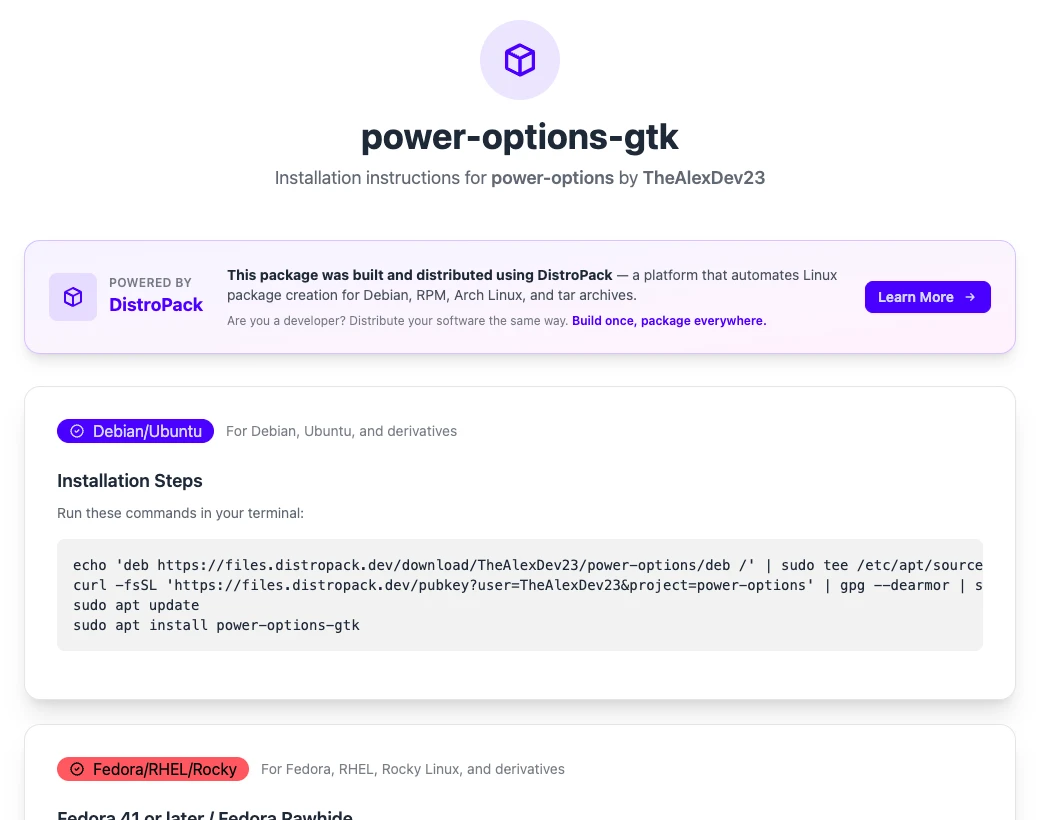
Each package gets an install page. The page shows the commands for each distribution. Power Options uses DistroPack for its own packages.
How it works
The system has three services, all in C#:
- The web app. It has the dashboard, the accounts, the billing and the API.
- The packager. It takes a build job and makes the package for one target.
- The file server. It hosts the packages and the repository metadata, and it signs them.
They talk over HTTP with a service key. They do not share a database.
A build goes like this:
- The developer uploads the files from the dashboard, the CLI or the GitHub Action. The files go to S3.
- The web app checks the plan limits and takes a lease on each target. The lease stops two builds of the same package and target from starting at the same time. The web app sends one build request to the packager and saves the jobs that come back. Then it releases the lease. From that point, the running job blocks a second build.
- The packager keeps the jobs in a queue in memory and runs one at a time. A job downloads the files from S3 with pre-signed URLs, builds the package and checks it against the size limit of the plan.
- The packager uploads the package to the file server. The file server signs it, updates the repository index and signs the index.
- The web app asks the packager for the status every 5 seconds. A job that runs for more than 30 minutes is marked as failed.
fpm builds the .deb, .rpm, pacman and tar packages. Alpine needs its own tool, abuild, so the packager image is based on Alpine.
A build job runs the pre-install, post-install, upgrade and removal scripts that the developer writes. The developer also selects the architectures: x86, x64, ARM and ARM64.
For CI, there is a CLI in Rust and a GitHub Action. A release workflow can upload the files and start the builds without the dashboard.
Repositories and signing
Each project has its own GPG key. The file server makes the key when the first package of the project arrives. The public key is at a public URL, and the install page uses it.
Each format puts the signatures in a different place:
| Format | Package signature | Index | Index signature |
|---|---|---|---|
.deb | dpkg-sig, inside the package | Packages and Release | Release.gpg and InRelease |
.rpm | rpm --addsign, inside the package | repodata/, from createrepo_c | repomd.xml.asc |
| pacman | a binary .sig file | the repo-add database | .db.sig |
.apk | abuild-sign, inside the package | APKINDEX.tar.gz, from apk index | APKINDEX.tar.gz.asc |
tar | an armored .asc file | none | none |
Alpine signs packages with an RSA key, not a GPG key. The file server converts the GPG key of the project to an RSA key with openpgp2ssh, and abuild-sign uses that key.
Pacman does not let repo-add replace a package with the same or a lower version. To rebuild a version, the file server first removes the package from the database with repo-remove.
macOS and Windows
I built both in 2026. The landing page still lists them as coming soon. All of the builds run on Linux, so the system has no Mac and no Windows machine.
- macOS:
.app,.dmgand.pkg.genisoimageandlibdmg-hfsplusmake the DMG.bomutilsandxarmake the pkg.rcodesign, a Rust version of Apple'scodesign, signs them. Command-line tools go out through Homebrew. The file server writes the formula and serves the tap itself, with a small read-only git server. - Windows: a portable zip, manifests for WinGet, Chocolatey and Scoop, an MSI and a setup EXE from WiX, and an MSIX from
MakeAppxunder Wine.osslsigncodesigns them, or SignTool under Wine.
Timeline
| Date | Change |
|---|---|
| 2024-10 | First commit. Accounts, projects and pricing. |
| 2025-01 | RPM and Arch builds, then full Debian repositories. |
| 2025-08 | First agent config in any of my repos. |
| 2025-11 | Rust CLI and GitHub Action. 102 commits in this month. |
| 2025-12 | tar archives and Alpine packages. |
| 2026-02 | macOS packages, with a new build pipeline. |
| 2026-04 | Windows support. |
What was hard
Each format has its own rules. Some examples from the commit log:
- RPM builds failed only for packages larger than 256 KB.
- Pacman does not want an armored signature. I removed it.
- Alpine needs its own repository layout and index. I verify each
.apkbefore it goes into the repository.
Each new format needs changes in all three services. The commit message for the Alpine work says it: "yeah this is annoying each pkg addition".